You have probably heard “CRM” thrown around at a trade night or in a construction Facebook group, usually by someone who swears it changed their business. Nobody ever explains what it actually does.
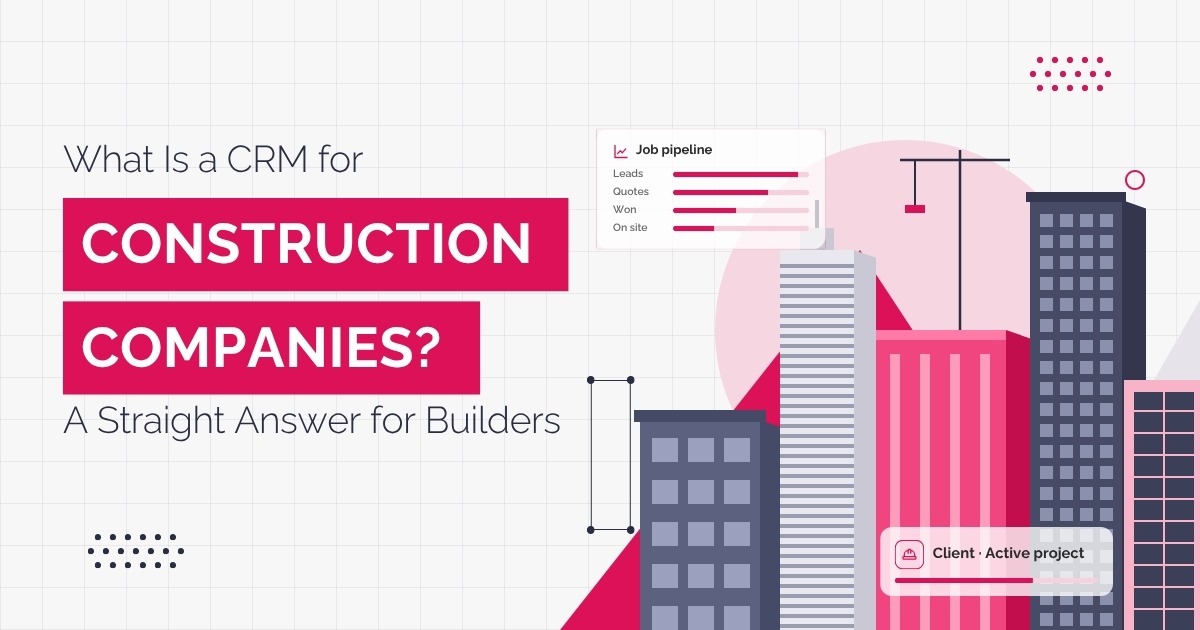
A CRM for construction companies is software that keeps every lead, quote, and client conversation in one system instead of scattered across spreadsheets, sticky notes, and someone's inbox.
For a builder or contractor, that means every enquiry gets logged the moment it comes in, every quote gets followed up automatically, and every job moves through a visible pipeline from first phone call to signed contract.
Why “CRM” Confuses So Many Builders?
Most construction business owners associate CRM software with office-based sales teams cold-calling leads off a spreadsheet, not a builder juggling three tenders and a site visit before lunch.
That mental picture is out of date, and it is the main reason so many good operators write off CRM software before they have actually looked at what it does for a trade business.
The confusion gets worse because construction already has its own category of software: job management platforms like Buildertrend and Tradify. Those tools schedule crews, track defects, and manage variations on site.
A CRM does something different. It manages what happens before a job exists, yet, back when it is still an enquiry, a quote, or a tender you are chasing.
What a Construction CRM Actually Does Day to Day
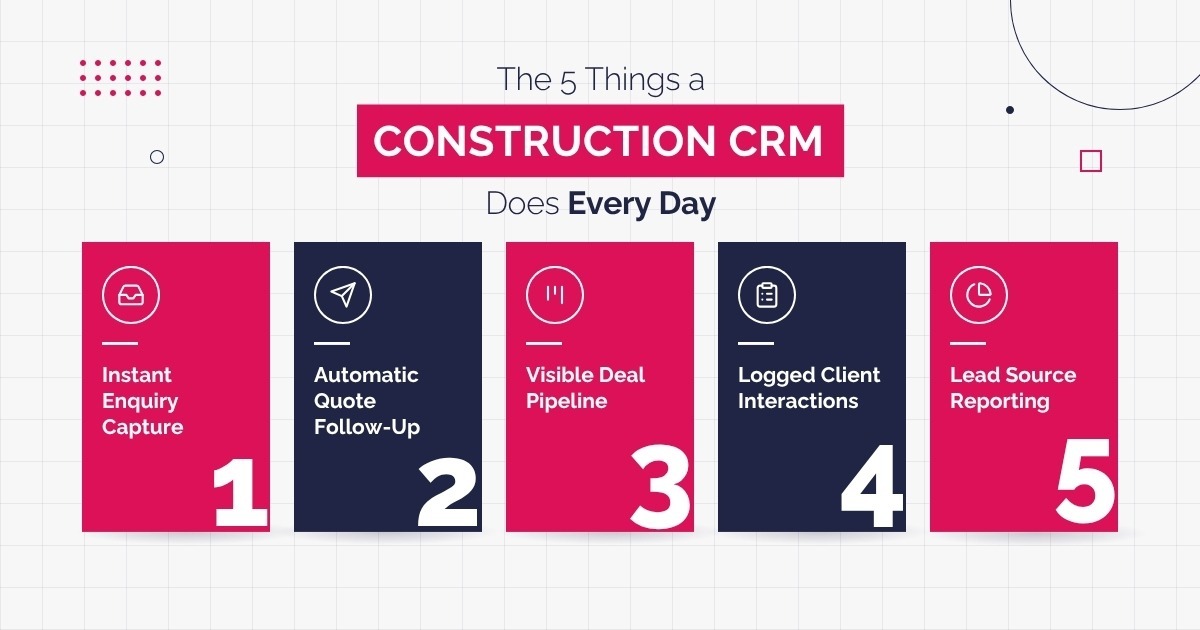
Strip away the jargon, and a construction CRM is doing five jobs, every single day, whether anyone in the office remembers to check it or not:
- Capturing every enquiry the moment it lands, from your website form, a phone call, or a referral, so nothing gets lost in someone's personal inbox.
- Following up on open quotes automatically, so a job does not go cold just because the office got busy that week.
- Tracking every deal through a visible pipeline, from first enquiry to quoted, to tender submitted, to job won or lost.
- Recording every client interaction in one place, so anyone in the business can pick up a conversation without starting from scratch.
- Reporting on where leads actually come from and which ones turn into paid work, so marketing spend goes toward what is converting.
CRM vs Job Management Software: What Is the Difference
This is the question that trips up almost every builder researching software for the first time, and it is worth answering directly rather than dodging it.
|
Question |
CRM |
Job Management Software |
|
When it's used |
Before the job exists (leads to a signed contract) |
After the job is won (scheduling for handover) |
|
Main job |
Managing leads, quotes, and follow-up |
Managing crews, materials, and site progress |
|
Who uses it most |
Office manager, estimator, sales |
Site supervisor, project manager |
|
Examples |
HubSpot, Salesforce, Zoho |
Buildertrend, Tradify, ServiceM8 |
|
Can they overlap? |
Some CRMs add light job tracking |
Some job platforms add a basic CRM |
Most construction businesses eventually need both. The CRM wins you the job. The job management platform delivers it.
Signs Your Business Has Outgrown Spreadsheets
Not every construction business needs a CRM on day one. I recommend treating it as a growth-stage decision rather than a default purchase. A few signs it is time:
- You have lost track of which quotes are still open and which ones went cold.
- Two people have followed up the same lead, or worse, nobody has.
- Your only record of a client conversation is whoever happened to take the call.
- You are quoting more work than you can chase, and some of it is quietly slipping through the cracks.
- You cannot say, with a straight face, which marketing channel actually brings in paying jobs.
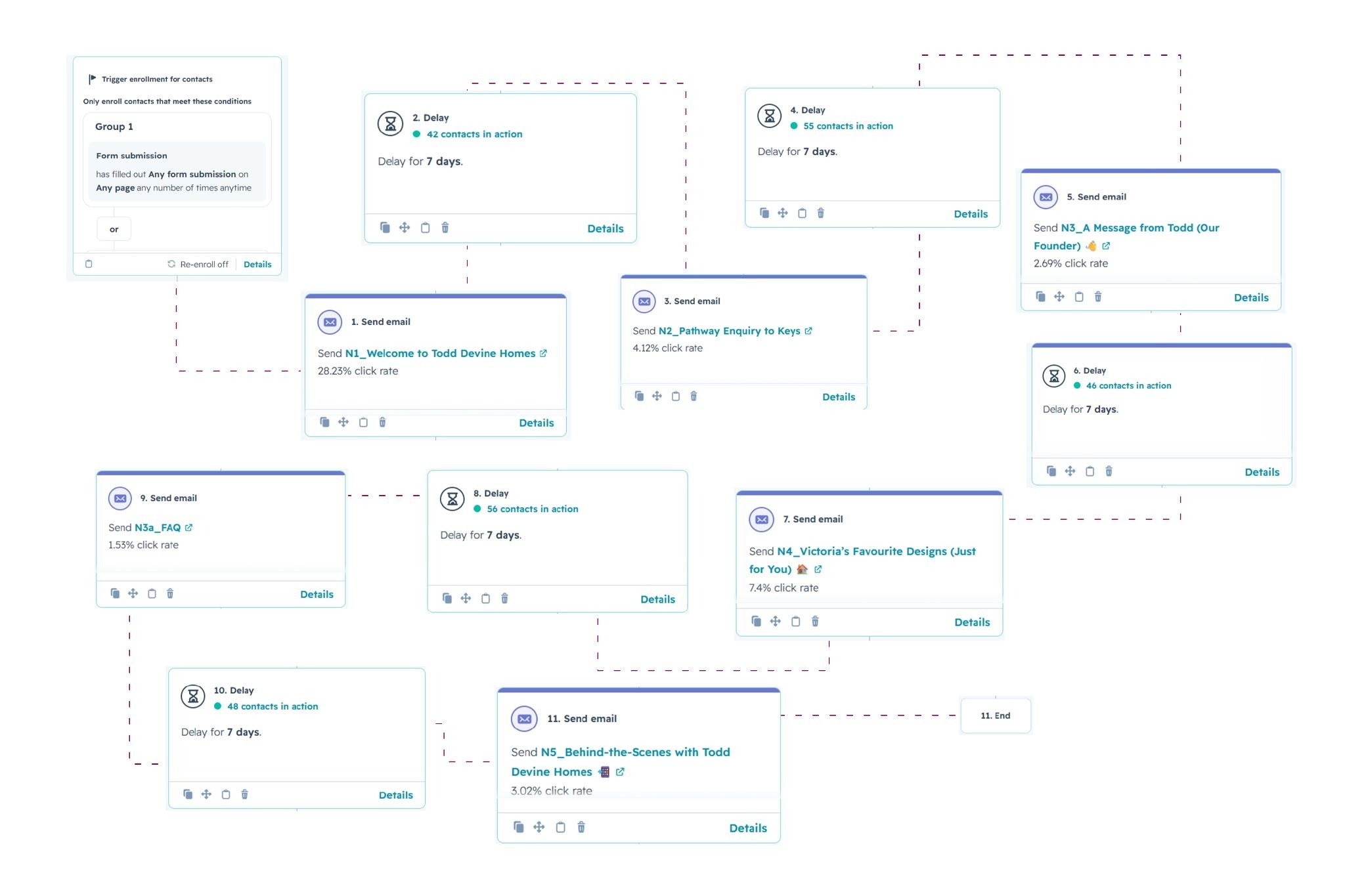
Todd Devine Homes, a residential builder based in Sydney, is a good example of what this actually looks like in practice. Before working with HubSpot, their sales process ran through Excel and a disconnected CRM, with leads slipping through the cracks and no central way to track who had been followed up and who had not.
Once custom intake forms, automated follow-up sequences, and a live sales dashboard with clear deal stages were in place, leads climbed from 80 to 210 over the following three years, tracked and followed up consistently instead of managed from memory.
“Before HubSpot, we were struggling with disorganised leads and inefficiencies in our processes,” says the CEO of Todd Devine Homes. “Since implementing HubSpot, our lead tracking is seamless.”
What to Look for in a CRM Built for Construction
Not every CRM on the market is built with a trade business in mind. When you are comparing options, these are the features that actually matter for construction, not generic small-business fluff:
- Mobile access, so a site visit does not mean the pipeline goes stale until someone gets back to the office.
- Quote and follow-up automation, so a slow week in the office does not mean a slow week for lead follow-up.
- A visible sales pipeline, so you can see at a glance what is quoted, what is under tender, and what is about to close.
- Integration with the tools you already run, such as accounting or estimating software.
- Reporting that shows where your best jobs actually come from.
Where HubSpot Fits, and Where It Does Not
For most Australian construction businesses managing leads, quotes, and follow-up, HubSpot covers this end of the business well without needing custom development. It is not the only option, and it is not always the right one.
Salesforce suits larger construction firms that need heavy customisation and already have the internal resourcing to manage it. Zoho is a reasonable, lower-cost option for a smaller operation with simpler needs.
If what you actually need is job scheduling, defect tracking, and crew management rather than lead and quote management, a job-management-first platform like Buildertrend or Tradify is the better starting point.
However, a CRM becomes the second purchase once the sales side needs more structure.
Frequently Asked Questions
What is a CRM for construction companies?
A CRM for construction companies is software that manages leads, quotes, and client communication in one system, replacing scattered spreadsheets and inboxes. It tracks every enquiry from first contact through to signed contract, and automates follow-up, so quotes do not go cold.
What's the difference between a CRM and job management software?
A CRM manages the sales side of the business, from enquiry to signed contract. Job management software like Buildertrend or Tradify takes over once the job is won, handling scheduling, crews, and site progress. Most growing construction businesses eventually run both.
What's the best CRM for a construction business?
There is no single best CRM for every construction business. HubSpot is a strong fit for most Australian builders and contractors managing lead follow-up and quoting without needing custom development. Larger firms with more complex sales processes may be better served by Salesforce, and very small operations sometimes find Zoho sufficient at a lower cost.
Do I need a CRM if I already use job management software like Buildertrend or Tradify?
Possibly, yes. Job management software is built for what happens after you win the job. If leads and quotes are still being tracked on spreadsheets or in someone's inbox, a CRM fills that gap rather than duplicating what your job management platform already does.
Can I automate my quoting process with a CRM?
Yes. A construction CRM can automatically send follow-up reminders after a quote goes out, flag quotes that have gone quiet, and log every touchpoint so nothing depends on one person remembering to chase it.
What to Do Next
If you want to see how this plays out with specific tools side by side, compare HubSpot, Salesforce, Zoho, Tradify, and Buildertrend feature by feature, including pricing.
How to Grow a Construction Business in Australia covers where CRM and sales operations fit into the bigger growth picture, alongside lead generation, marketing, quoting and automation.