 You win the job, and then the juggling starts. The quote sits in one spreadsheet, the schedule in another, supplier bills in someone's inbox, and the latest variation lives in a site diary only one person can read.
So, what is job management software for construction? It's a system that runs building work from accepted quote to final invoice in one place: estimating, scheduling, job costing, variations, purchase orders, site documents and progress claims. What most buyer guides skip is that it usually picks up a lead only once it's worth quoting, so enquiries that go cold earlier are never recorded.
We saw this with Tailored Homes, a Sydney design and build company. After we connected a CRM to their job management software in early 2026, they captured about 2.5 times more enquiries each month and more than doubled the quotes they sent.
This guide covers what job management software does, where it stops, how it differs from a CRM and which setup suits your business.
What is job management software for construction?
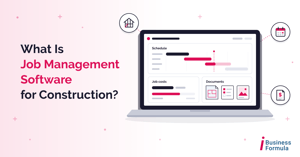
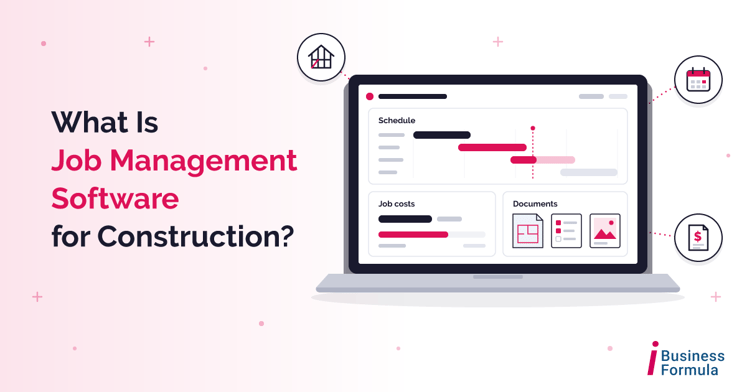
Job management software for construction is a system that plans, tracks and records building work from quote to completion. It brings estimating, scheduling, job costing, variations, purchase orders, site documents and invoicing into one shared place, so office staff, site supervisors and subcontractors work from the same job information instead of separate spreadsheets.
Put simply, it answers four questions on every job: what are we building, when, with whom, and for how much?
That matters more in construction than in most industries. According to Master Builders Australia, citing ABS data, there were 462,939 construction businesses operating in Australia as of June 2025, and 98.6% of them had fewer than 20 employees. Most of those businesses don't have an operations manager, so the software ends up doing a lot of that job.
What does job management software actually do?
 Features vary between products, but most construction job management tools cover some combination of the following:
- Estimating and quoting: build up costs from materials, labour and subcontractor rates, then send a professional quote from the same numbers.
- Scheduling: plan trades and crews, see who is on which site, and move dates when weather or a late delivery pushes the program out.
- Job costing: compare what a job was quoted at against what it is actually costing, while there is still time to act.
- Variations: record each change to the scope of works, its price impact and the client's approval against the job.
- Purchase orders and supplier bills: raise orders against a specific job so costs land in the right place.
- Timesheets: capture labour hours against each job rather than against a week.
- Site documents and photos: keep plans, inspection photos and handover documents with the job they belong to.
- Progress claims and invoicing: bill at each stage and send invoices through to your accounting software.
Not every product does all of these well. Trade-focused tools tend to be strongest on scheduling, timesheets and invoicing for shorter jobs. Builder-focused tools put more weight on estimating, variations and keeping the client informed across a months-long build.
If your quote-to-completion process lives in spreadsheets today, we recommend looking at job costing first. It's the feature that tells you whether a job made money before the final invoice goes out, not three months after it.
Where job management software stops
Job management software is very good at managing jobs. The catch is in the name: an enquiry is not a job yet.
Before anyone decides an enquiry is worth quoting, it has to be captured, given an owner, followed up and qualified. Enquiries arrive from website forms, Facebook lead ads, Google Ads, phone calls and referrals, often all in the same week - and most job management tools aren't designed for that stage, expecting someone to enter a lead only once it's ready to quote.
That gap is where builders lose work without noticing, because a lead that was never recorded never shows up as lost.
What this looked like for Tailored Homes
Tailored Homes, a Sydney design and build company, builds custom homes and also handles renovations, alterations and secondary dwellings. Most of their enquiries came through Facebook lead forms, with the rest arriving via Messenger, website forms and referrals.
There was no central system for capturing those enquiries, and follow-up happened manually with no shared record of who had been contacted or when. Their job management software was doing its own job properly but only saw an enquiry once it reached quoting. Quote details sat away from the customer record, and invoices and payments had to be checked separately in their accounting software.
Between February and April 2026, we set up HubSpot (a CRM, or customer relationship management system) as the front door for every enquiry and connected it to their existing job management and accounting systems:
- Every enquiry from website forms, Meta ads and Google Ads now creates or updates a contact automatically, records its source, assigns an owner and creates a follow-up task.
- Once a contact reaches the appointment booked stage with the required details, it's created as a lead in BuildXact, their estimating and job management software, without being retyped.
- Estimate and quote status in BuildXact is reflected back in HubSpot. When a quote is accepted, a deal is created automatically.
- Once the deposit stage is reached and the required information is complete, the job is created in BuildXact from the deal details.
- Automated quote reminders go out after three days and again after seven, followed by a task for the salesperson if the client hasn't responded.
- Xero was connected, so invoice, supplier bill and contractor cost information is visible from HubSpot.
The results, comparing performance before and after the work:
|
Measure |
Change |
|
Enquiries captured and tracked each month properly |
About 2.5 times more |
|
Quotes produced each month |
More than doubled (up 137%) |
|
Time from enquiry to quote |
About 60% faster |
Notice what didn't change: the job management software. The builder kept the tool their estimators already knew. What changed was everything that happened before a job reached it.
CRM vs job management software: what is the difference?
A CRM manages everything before and around the job - enquiries, follow-up, quotes in progress, marketing and repeat business - while job management software manages the job itself: scheduling, costing, variations, site documents and invoicing. A CRM helps you win the work. Job management software helps you deliver it profitably.
|
CRM |
Job management software |
|
|
Main question it answers |
Who is interested, and what happens next? |
What are we building, when, and is it on budget? |
|
Where it starts |
The first enquiry |
Usually the quote or accepted job |
|
Core features |
Lead capture, follow-up, sales pipeline, email marketing, reporting |
Estimating, scheduling, job costing, variations, purchase orders, invoicing |
|
Main users |
Owner, sales staff, office manager, marketing |
Estimators, project managers, site supervisors, accounts |
|
Example tools |
HubSpot, Salesforce, Zoho |
BuildXact, ClickHome, Buildertrend, Simpro, Tradify, Fergus, ServiceM8 |
Table caption: CRM vs job management software for construction businesses
The mistake we see most often is a builder buying job management software to fix a lead problem - it won't. If quotes are going out but jobs aren't coming back, the leak is almost always before the quote, not after it. Our guide to what a CRM is for construction companies covers the CRM side in more detail.
How job management software helps with progress claims and deposits
No software makes you compliant - you do. What good job management software for construction does is keep the records your obligations depend on in one place, attached to the right job, with dates you can prove. Most of these rules are set state by state, so always check the requirements where you build.
Progress claims and security of payment
Every state and territory has its own security of payment legislation, and the timeframes differ. In New South Wales, a business that doesn't intend to pay a payment claim in full has a maximum of 10 business days to provide a payment schedule, according to the NSW Government. When claim dates, service dates and payment schedules are recorded against each job, those deadlines are visible instead of buried in an inbox.
Deposits on residential building work
Under NSW home building law, the maximum deposit a builder can ask for is 10%. Where the work must be covered under the Home Building Compensation Scheme, it's illegal to ask for a deposit until that cover is in place and the certificate has been given to the owner.
At Tailored Homes, a job is only created in the job management system once the deposit stage is reached and the required information is complete. A stage gate like that is a practical way to stop a job starting before the paperwork that should come first.
What software do builders use in Australia?
Australian builders and trades businesses use a mix of local and international tools. The right job management software for construction depends far more on the type of work you do than on any feature list. Here's where the common options fit:
|
Tool |
Best suited to |
Where you may need something else |
|
ServiceM8 |
Small trade and service businesses running short jobs |
Long residential builds, lead nurturing and marketing |
|
Tradify |
Trade businesses that quote, schedule and invoice |
Multi-stage builds, marketing automation |
|
Fergus |
Trade contractors tracking job progress and costs |
Marketing and lead follow-up before the quote |
|
Simpro |
Larger trade and service contractors with multiple crews |
Smaller teams may find it more than they need |
|
BuildXact |
Residential builders and renovators focused on estimating and quoting |
Capturing and following up enquiries before they're ready to quote |
|
ClickHome |
Residential builders managing construction workflows and client communication |
Marketing automation and lead capture across ad channels |
|
Buildertrend |
Residential builders wanting project management with a client portal |
Short trade and service jobs, marketing automation |
|
HubSpot |
Lead capture, follow-up, sales pipeline, marketing and reporting |
Not job management software: pair it with one of the tools above |
Table caption: Job management software and CRM options Australian builders use
If you run a trades business doing short service jobs and most of your work comes from repeat customers, we recommend starting with a trade tool like ServiceM8, Tradify or Fergus on its own. A CRM like HubSpot would be more than you need until your enquiry volume grows.
Do you need job management software, a CRM, or both?
Be honest about where your business is losing time and money, then match the tool to the leak.
- Job management software only: most of your work comes from referrals and repeat clients, enquiry volume is manageable, and your pain is on site: scheduling clashes, costs blowing out, variations that never get billed.
- A CRM first: you get plenty of enquiries and send plenty of quotes, but you can't say how many turn into jobs, follow-up depends on who remembers, and leads go cold between the first call and the quote.
- Both, connected: you run paid ads or get steady online enquiries, and you already use an estimating or job management tool. This is where most growing builders end up, and where connecting the two pays off most, because nobody retypes the same customer twice.
For builders in that third group, HubSpot works well as the front door: it captures every enquiry, makes sure each one has an owner and a next step, and reports on where jobs actually come from. Your job management software keeps doing what it does best. Our guide to the best CRM for construction companies in Australia compares the main options side by side.
Tailored Homes more than doubled its monthly quotes without changing the software its estimators used every day. Our guide to how construction companies get more leads in Australia covers the front end of the pipeline in more detail.
How to choose job management software for your construction business
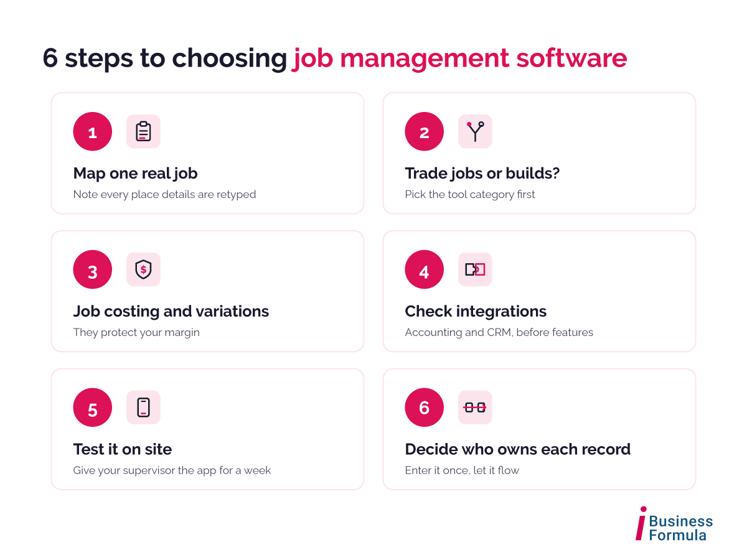
Choosing job management software for construction is easier when you start with your own process rather than a sales demo.
- Map one real job from enquiry to final invoice on paper. Note every place information is typed, copied or chased. That map is your requirements list.
- Decide whether you're buying for trade jobs or for builds. Short service jobs and multi-month residential builds need different tools.
- Put job costing and variations near the top of your list. They protect margin, which is where most small builders feel the pressure first.
- Check integrations before you check features. Ask each vendor whether it connects natively to your accounting software and your CRM, or whether you'll need a tool like Zapier in between.
- Test it on site, not just in the office. Give your site supervisor the mobile app for a week. If they won't use it, the data will never be complete.
- Decide who owns each record and when it moves. Agree at which stage an enquiry becomes a job, so information is entered once and flows from there.
Frequently asked questions about job management software for construction
What is job management software for construction?
It is software that plans, tracks and records building work from quote to completion. It brings estimating, scheduling, job costing, variations, purchase orders, site documents and invoicing into one place, so the office and the site work from the same job information.
What is the difference between a CRM and job management software?
A CRM manages enquiries, follow-up, quotes in progress and marketing, so it helps you win work. Job management software manages scheduling, costing, variations and invoicing once a job is underway, so it helps you deliver work profitably. Many growing builders use both, connected.
Is HubSpot job management software?
No - HubSpot is a CRM and marketing platform that handles lead capture, follow-up, sales pipelines and reporting. For scheduling, job costing and site documents, builders pair it with job management software such as BuildXact, ClickHome, Simpro or Tradify.
Can job management software replace a CRM?
Usually not. Most job management tools start working once a lead is ready to quote, so enquiries that drop out earlier are never recorded. If your work comes mainly from referrals and repeat clients, job management software alone may be enough.
Can job management software help with progress claims?
Yes. Most tools let you bill at each stage and record claim dates against the job. Security of payment timeframes differs by state, so make sure your process and software settings match the rules where you build.
How long does it take to connect job management software to a CRM?
It depends on how many systems are involved and how clean your data is. For Tailored Homes, connecting HubSpot with BuildXact and Xero took about two months, from February to April 2026.
Find out where your enquiries and jobs are slipping
If you're not sure whether your business needs job management software, a CRM or both, start by finding where enquiries and jobs are actually slipping. Our free Business Growth Audit looks at how leads move through your business today and shows where the gaps are, with no obligation to buy anything.