
HubSpot landing page best practices matter most when you're paying for every click. A page that loads slowly, asks for eight form fields or buries its offer will quietly waste your ad spend, however good the campaign behind it is. This guide covers seven practices that lift conversions on HubSpot landing pages, the mistakes that undo them, and how to set up your pages so every submission lands in your CRM ready for follow-up.
What is a HubSpot landing page, and why does it matter?
A HubSpot landing page is a standalone page built in HubSpot with one job: turning a visitor into a contact through a single action, usually a form submission. Because the page sits inside HubSpot, every submission creates or updates a CRM record, so you can see which campaign produced each lead and follow up automatically.
That CRM connection is the real difference between a HubSpot landing page and one built in a standalone page builder. A standalone page can capture an email address. A HubSpot page can also tell your sales team which ad the person clicked, which pages they viewed before converting and which lifecycle stage they're in.
Growth Tribe, an education business and HubSpot customer, shows what that connection can be worth. After moving its website onto HubSpot so form data sat on the same platform as sales, marketing and service, it reported a 2x to 3x increase in website conversions and 80% faster lead processing, according to HubSpot's Growth Tribe case study.
7 HubSpot landing page best practices that lift conversions
Each practice below works on any HubSpot tier unless noted. Start with the one that fixes your biggest leak, not the one that's easiest to change.
1. Match the headline to the click that brought them
Your headline should repeat the promise of the ad, email or post the visitor just clicked. If a LinkedIn ad offers a HubSpot audit checklist, the headline should say "Download the HubSpot audit checklist", not "Grow your business with better data".
When the words match, visitors know within seconds that they're in the right place. When they don't, they hit the back button. If your campaigns make different promises, give each one its own headline.
2. Give the page one goal and remove the exits
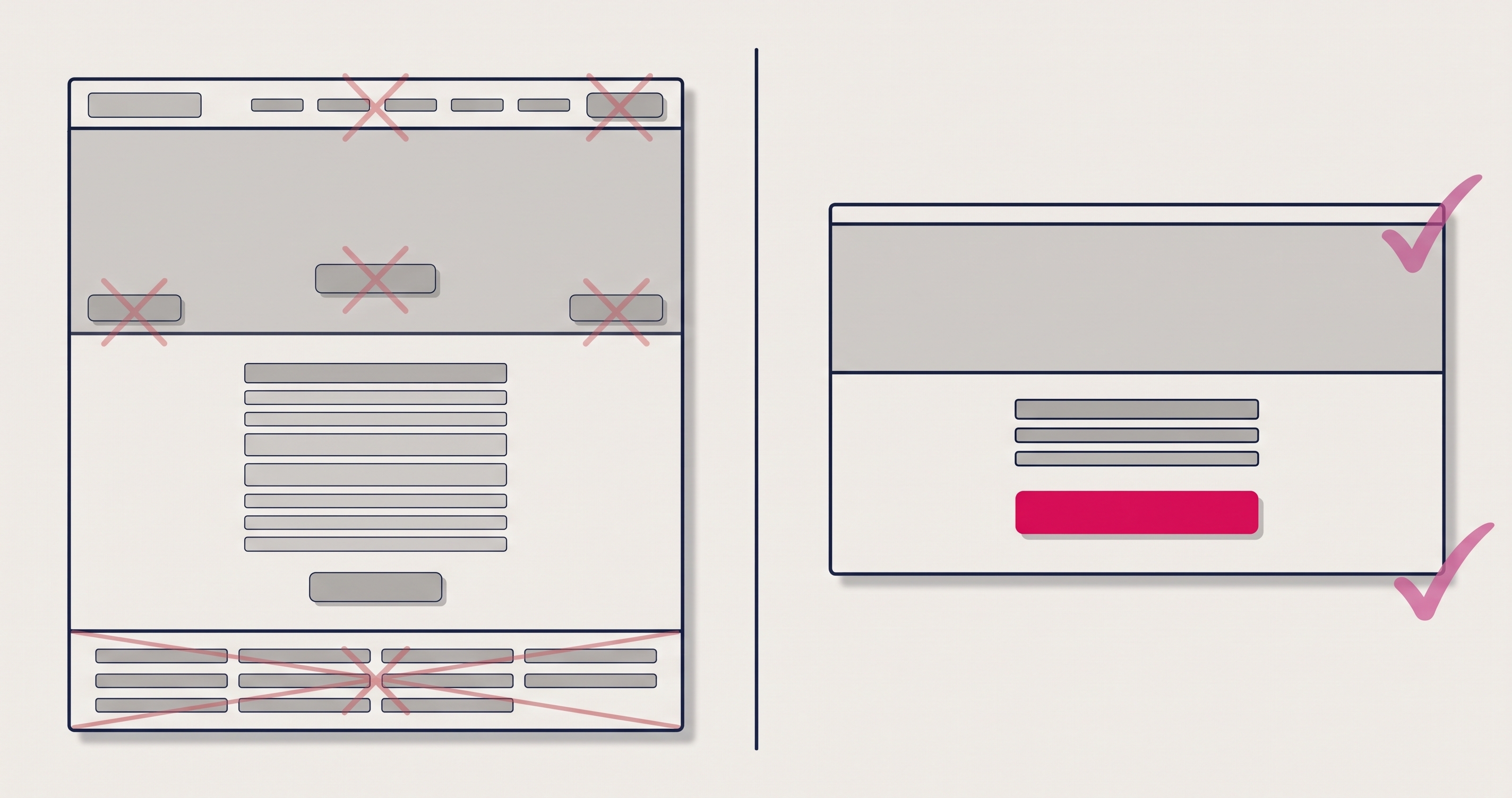
A landing page should ask for one action. Main site navigation, footer link lists and secondary offers all give visitors a way out before they convert.
HubSpot's landing page templates let you hide the header navigation, which is the fastest fix on most pages. If you have two offers, build two pages and send each audience to the one that fits.
3. Ask only for what sales will actually use
Every form field is a small reason to leave. Before adding one, ask whether your sales team will use that answer in the first conversation. If they won't, cut it.
Progressive form fields, available on Marketing Hub Professional and Enterprise, help here. Returning contacts see new questions instead of ones they've already answered, so you build a fuller record across several visits without a long form on any of them. If you plan to email contacts, add a clear opt-in checkbox, because Australia's Spam Act 2003 requires consent before you send commercial emails.
4. Make the CTA button say what happens next
"Submit" tells visitors nothing. "Get the checklist", "Book my audit" or "See pricing" tells them exactly what they'll receive.
Place the button where it's visible without scrolling on desktop, and give it a colour that contrasts with the rest of the page. On longer pages, repeat it further down so readers don't have to scroll back up to act.
5. Build for the phone first
If you run Meta, LinkedIn or Google ads, a large share of that traffic arrives on a phone. Preview every page in HubSpot's mobile view before you publish.
Check that the form isn't pushed below a tall hero image, that buttons are big enough to tap and that images are compressed. A hero image that looks sharp on a desktop monitor can add seconds to load time on a mobile connection. Our guide to improving website speed covers image compression and mobile load time in more detail.
6. Put proof next to the ask
Testimonials, client logos, review ratings and security badges work hardest beside the form, where hesitation peaks. Specific beats generic: a testimonial that names a result, for example "we halved our quote turnaround time", does more than "great to work with".
For Australian B2B buyers, local proof such as recognisable Australian client names or industry memberships can carry more weight than a row of international logos.
7. Test one change at a time
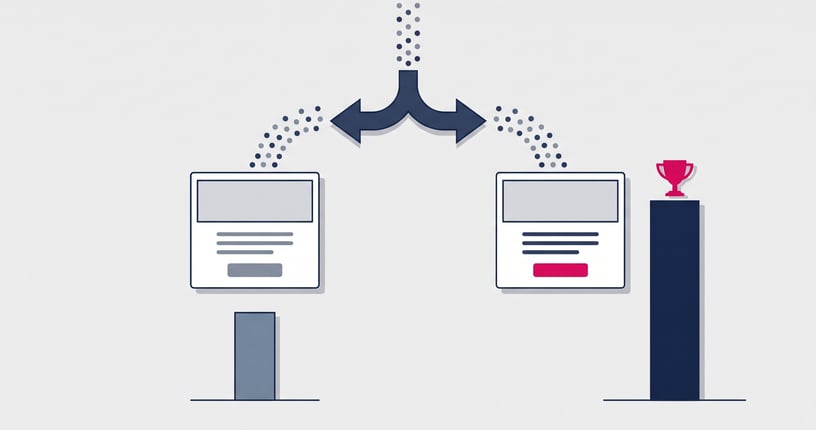
HubSpot's built-in A/B testing splits traffic between two versions of a page and reports which one converts better. It's available on Content Hub Professional and Enterprise.
Test one element at a time, such as the headline or the form length, so you know what caused the difference. Let the test run until both versions have enough visits to trust the result, which can take several weeks on a low-traffic page.
Common HubSpot landing page mistakes that cost you leads
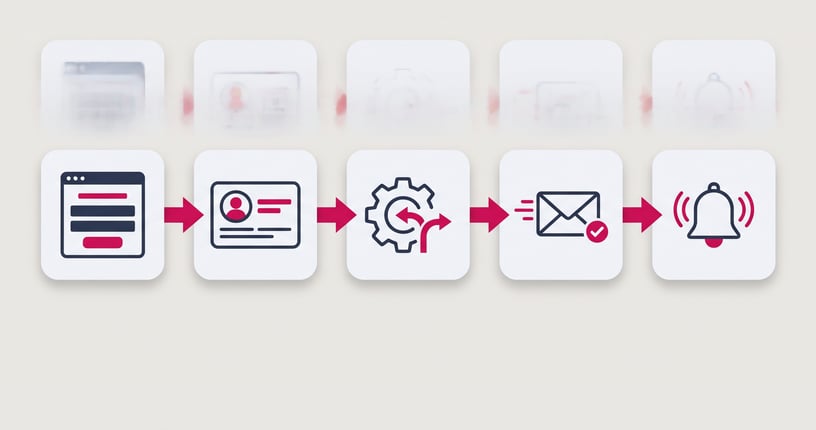
Most underperforming landing pages aren't badly designed. They're badly connected to everything that should happen after the click. These are the mistakes worth checking for first:
- No follow-up after the form. A thank-you page with no next step, and no workflow that delivers the promised asset or alerts sales, wastes the conversion you just paid for. Our guide to HubSpot lead management covers how to route and follow up every new lead.
- One page for every campaign. A single generic page can't match the promise of five different ads, so visitors arriving from each one feel slightly lost.
- No campaign tracking. Without UTM parameters or HubSpot tracking URLs, you can't tell which campaign produced which contact, so you can't cut the ones that don't pay.
- Changing everything at once. Redesigning the page and swapping the offer in the same week means you'll never know which change moved the result.
- Waiting on a developer for every edit. If each headline change or form tweak joins a developer's queue, testing stalls. Build pages from flexible templates so marketers can make routine changes themselves.
How IBF helps you build HubSpot landing pages that convert
Getting the page right is half the job. The other half is making sure every submission triggers the right workflow, lands in the right lifecycle stage and shows up in reporting your team actually reads.
As a HubSpot Platinum Partner, IBF works on both halves. IBF's HubSpot implementation services cover landing page templates built for your brand, forms mapped to the CRM properties your sales team uses, follow-up workflows and campaign reporting that shows where your leads come from.
If your pages are already live, the fastest win is usually an audit rather than a redesign. Checking each page against the seven practices above, then fixing the tracking and workflows behind it, often reveals the leak before you spend money on new design.
Frequently asked questions about HubSpot landing pages
Can I build landing pages on HubSpot's free plan?
Yes. HubSpot's free tools include a drag-and-drop landing page builder with starter templates, and every form submission creates a contact in the free CRM. The free version caps the number of pages and leaves out advanced features such as A/B testing, which requires Content Hub Professional or Enterprise - so growing teams usually upgrade once they want to test and personalise pages.
How many form fields should a HubSpot landing page have?
Use as few fields as your sales process genuinely needs, which for a top-of-funnel offer is often just name and email. Every extra field adds friction, so each one should earn its place by changing how sales follows up. For higher-intent offers such as a quote request, more fields are reasonable because the visitor expects to give detail.
What is the difference between a HubSpot landing page and a website page?
In HubSpot, landing pages and website pages are separate content types - landing pages are built for a single campaign goal and usually sit outside your main navigation. Website pages form the permanent structure of your site, such as your home, services and about pages. Both can hold HubSpot forms, but landing pages are designed to focus attention on one conversion.
How long should I run an A/B test on a HubSpot landing page?
Run an A/B test until both versions have enough visits and conversions to show a clear, consistent difference - not for a fixed number of days, since a high-traffic page might settle in a week or two while a low-traffic page can take a month or more. Ending a test early is the most common way to pick the wrong winner.
Do HubSpot landing pages help with SEO?
HubSpot landing pages can be indexed and ranked like any other page, but most are built for paid or email traffic rather than search. Short campaign pages with thin content rarely rank well. If you want a page to rank, give it a keyword-focused title, meta description and enough useful content to answer a real search, or build a website page instead.
Find out where your HubSpot landing pages are losing leads
A high-converting HubSpot landing page needs the right offer, a focused layout and a CRM setup that acts on every submission. IBF is a HubSpot Platinum Partner helping Australian businesses build, connect and improve their HubSpot marketing every day. Start with a business growth audit to see where your pages are losing leads.