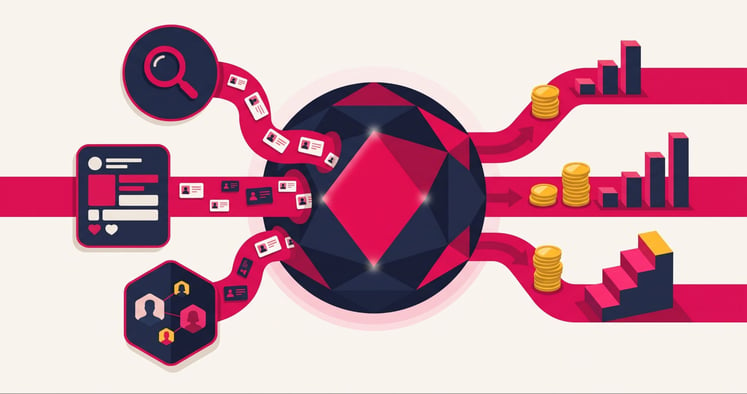
 HubSpot's ads tool solves a problem every ad dashboard has. Google, Meta and LinkedIn count clicks and form fills, but can't see which leads became paying customers. That blind spot is where most ad budget leaks, because the platforms keep buying more of whatever looks cheap.
HubSpot's ads tool is the section inside Marketing Hub that connects your Google, Meta and LinkedIn ad accounts to your CRM, so you can measure paid ads against real outcomes and feed those outcomes back to each network. This guide covers what HubSpot's ads tool does, how to set it up in four steps and the mistakes that waste spend.
What does HubSpot's ads tool actually do for your campaigns?

HubSpot's ads tool connects your Google, Meta and LinkedIn ad accounts to your CRM. HubSpot then tracks which contacts and deals each ad produced and builds ad audiences from CRM segments. It also syncs lifecycle stage changes back to each network as conversion events, while bidding and budgets stay inside each ad platform.
That last point is often misunderstood. HubSpot doesn't set bids, move budget between ads or pause underperformers for you. What it does is give each ad network better data, so the network's own bidding optimises towards qualified leads instead of any form fill.
Inside Marketing > Ads, four tools do the optimisation work:
- Ads attribution. Reports the contacts and deals attributed to each campaign, so you can compare spend with pipeline instead of clicks.
- Ads audiences. Lists built from your CRM data, such as contact segments or website visitors, that you can target or exclude.
- Ad conversion events. Lifecycle stage changes or form submissions sent back to Google, Meta, LinkedIn and TikTok through each network's conversion tools.
- Ads automation. Simple workflows that add ad contacts to a segment or audience, or alert your team when a lead ad converts.
How to set up HubSpot's ads tool in four steps
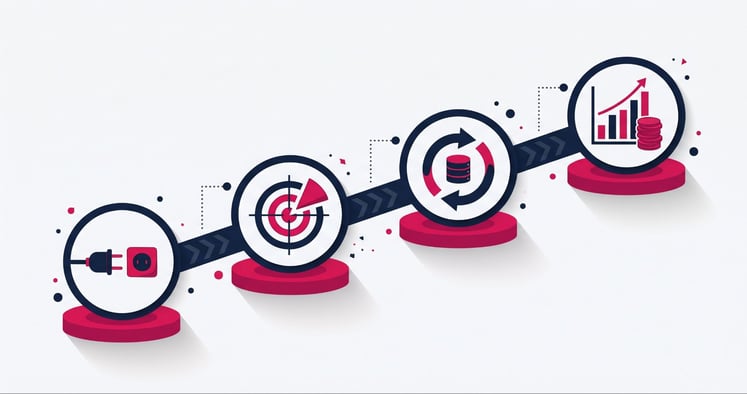
The order matters here. Each step depends on the one before it, so skipping ahead usually means rebuilding later.
1. Connect your ad accounts and tracking code
Connect each ad account under Marketing > Ads, then check that the HubSpot tracking code is on every ad landing page. Without it, HubSpot can't attribute website conversions to an ad, and your reports will undercount. Lead ad forms from Meta, LinkedIn and Google can also sync straight into HubSpot as contacts.
2. Build audiences from your CRM
Use CRM segments to target contacts at specific lifecycle stages, and exclude existing customers so you stop paying to reach people who've already bought. Retargeting contacts with open deals keeps spend focused on people already in your pipeline.
Audiences and conversion events both share customer data, usually hashed email addresses, with the ad networks. Under the Australian Privacy Principles, your privacy policy should tell customers you do this, so check it before you switch audience syncing on.
3. Sync conversion events back to each network
This is the step most businesses skip. Create conversion events that send lifecycle stage changes, such as marketing qualified lead or customer, back to each ad network. The network then optimises delivery towards people who become customers, not just people who fill in forms.
HubSpot's knowledge base sets the limits by plan: Marketing Hub Starter allows up to five ad conversion events, Professional up to 50 and Enterprise up to 100. Only lifecycle changes made after you create an event are counted, so set events up early. For this to work, your lifecycle stages need clear definitions, which our guide to HubSpot lead management covers.
4. Report on deals and revenue, not clicks
Use the Ads dashboard and attribution reports to compare each campaign's spend with the contacts, deals and revenue it influenced. Our guide to the HubSpot customer journey explains which attribution reports each HubSpot tier includes. If you run Google Ads, you can also review and apply Google's own recommendations from inside HubSpot.
Common mistakes that undermine HubSpot's ads tool
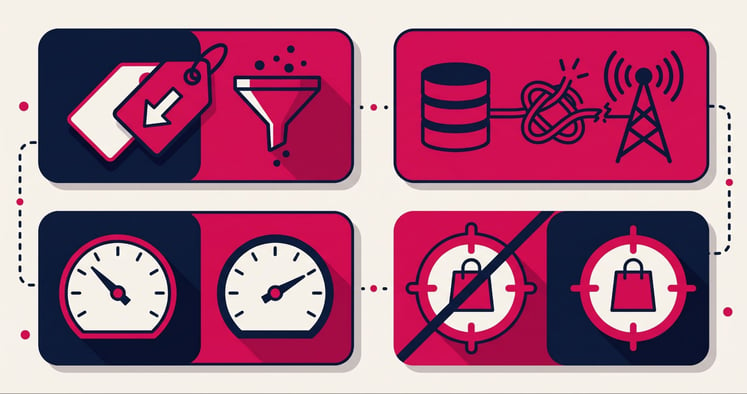
Most ad problems in HubSpot portals aren't platform problems. They're setup and data problems that quietly teach the ad networks the wrong lesson.
- Judging campaigns on cost per lead alone. A cheap lead that never becomes a deal is expensive. A campaign with a high cost per click can still be your best on revenue, which you only see once spend is compared with closed deals.
- Syncing conversion events before lifecycle stages are clean. If sales updates lifecycle stages inconsistently, the networks learn from bad signals.
- Expecting HubSpot and ad network numbers to match. Each network counts conversions its own way, while HubSpot attributes them to contacts. One person submitting a form ten times is ten network conversions but one HubSpot contact.
- Leaving customers in your targeting. Without a customer exclusion audience, part of every budget goes to people who've already bought from you.
Fixing these rarely needs extra software. It needs someone who understands both your CRM data and how each ad network uses it.
How IBF sets up HubSpot ads for Australian businesses
IBF's HubSpot work on ads starts with the CRM, not the ad account. Before any conversion event goes live, we check that lifecycle stages are defined and used consistently. We also confirm the tracking code covers every landing page.
From there, IBF's HubSpot implementation services cover connecting your ad accounts, building exclusion and retargeting audiences, and syncing the lifecycle stages that matter. We finish with an attribution dashboard that shows spend against deals and revenue, so your leadership team can see which campaigns earn their budget.
For Australian businesses running ads in AUD across several platforms, this matters more than another round of creative testing. A single view of cost against closed revenue lets you cut weak campaigns with confidence and back the ones that grow your pipeline.
Frequently asked questions about HubSpot's ads tool
Can HubSpot manage my Google Ads bids and budgets?
No, HubSpot doesn't set bids, move budgets or pause ads, because bidding stays inside Google Ads, Meta Ads Manager and LinkedIn Campaign Manager. What HubSpot does is send CRM data, such as lifecycle stage changes, back to those platforms as conversion events. Each network's own bidding can then target people more likely to become customers rather than anyone who fills in a form.
Which ad platforms can I connect to HubSpot?
HubSpot's ads tool connects with Google Ads, Meta (Facebook and Instagram) and LinkedIn Ads for reporting, audiences and lead ad syncing. HubSpot also supports ad conversion events for TikTok, so lifecycle data can flow back to that network too. Each connection needs admin access to the ad account, plus the HubSpot tracking code on your landing pages.
Do I need Marketing Hub Professional to optimise ads in HubSpot?
Not to start, because Marketing Hub Starter includes up to five ad conversion events and simple ad automation. Professional raises the limit to 50 conversion events and adds custom workflows, while Enterprise allows up to 100 events. Businesses advertising on several networks often find five events tight once they track more than one lifecycle stage per network.
Why don't HubSpot's ad numbers match Google or Meta?
The two systems count different things, since ad networks use their own conversion rules and don't need a visitor to be tracked. HubSpot attributes conversions to individual contacts, so one person submitting a form ten times is still one contact. The network may report ten conversions for that same person, and neither number is wrong.
How long does it take to see results from syncing conversion data?
There's no fixed timeline, because each ad network needs enough conversion data before its bidding adjusts. Accounts with more conversions give the networks more to learn from, so low-volume accounts usually take longer to show a change. Review performance monthly rather than weekly in the first few months, so you judge trends instead of normal day-to-day swings.
Get more from HubSpot's ads tool
Getting more from your ad budget starts with knowing which campaigns create customers, not just clicks. IBF is a HubSpot Platinum Partner that connects ad platforms, CRM data and reporting for Australian businesses. Book a business growth audit and see where your ad spend is going.