
HubSpot SEO tools can show you exactly which pages are holding your site back in Google. Yet many businesses paying for them rarely open the SEO dashboard after onboarding.
This guide covers what each tool does and how to build them into a regular routine. It also shows where they stop being enough and how AI search changes the picture.
What do HubSpot SEO tools include?
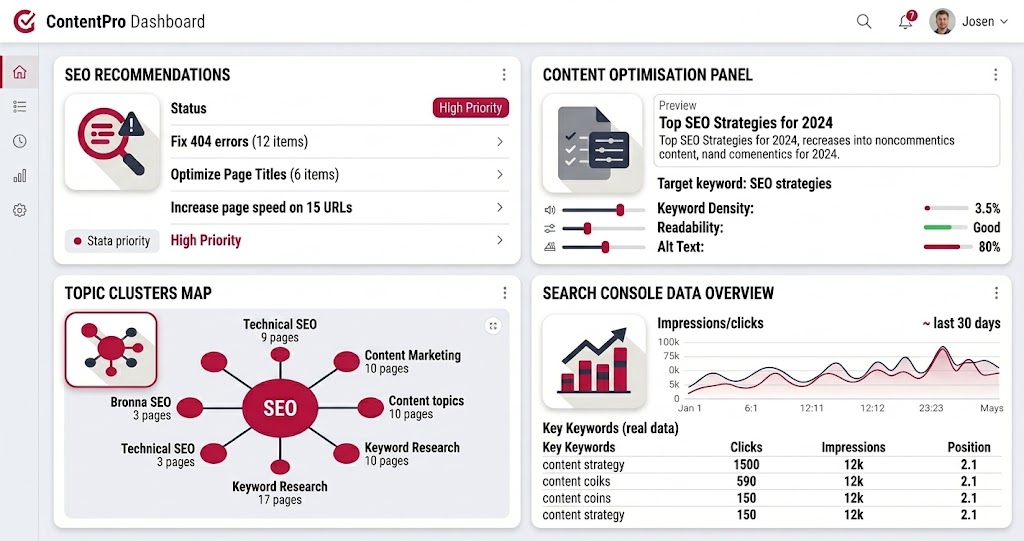
HubSpot SEO tools are built-in features in Marketing Hub and Content Hub that audit your pages, organise topic clusters and report on search performance.
The core set includes site-wide SEO recommendations, an in-editor optimisation panel, topic planning and a Google Search Console integration. Full access requires a Professional or Enterprise subscription.
Every HubSpot account, including free and Starter, gets SEO recommendations inside the page and blog editor. The full SEO tool, with site-wide scans, topics and SEO analytics, is limited to Professional and Enterprise.
For an Australian SME weighing an upgrade from Starter, this is one of the clearest differences between tiers.
IBF’s own site, ibusinessformula.com.au, is where this approach was tested first. When the HubSpot SEO recommendations tool scanned the domain, it flagged that fewer than 10% of the site’s pages were indexed by Google - 40 out of more than 500 published.
A single URL parameter was generating duplicate versions of nearly every page, splitting index signals across hundreds of low-quality variants. The HubSpot export gave the development team a prioritised fix list, ordered by SEO impact and technical difficulty, in about ten minutes. A manual audit of the same scope would have taken days.
Here's what each part of the toolset does:
- SEO recommendations: Scans every live page on a domain, including pages hosted outside HubSpot, and ranks issues by SEO impact and technical difficulty. You can filter by category and export the list for your developer.
- Optimise panel: Sits inside the content editor and flags problems such as missing meta descriptions, heading issues and image alt text before you publish. It's the tool your writers will use most.
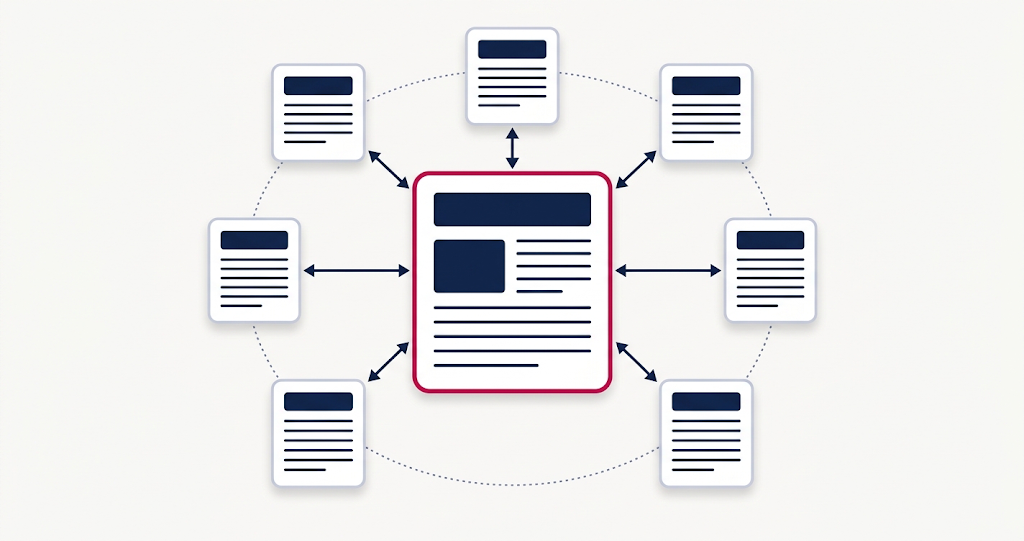
- Topics: Lets you map a pillar page and up to 100 subtopic keywords, then checks whether supporting content links back to the pillar.
- Google Search Console integration: Pulls impressions, clicks and average position for each page into HubSpot. Without it, the SEO analytics reports stay empty.
How to use HubSpot SEO tools to rank higher on Google
The tools only move rankings when someone works through them on a schedule. Here's a routine that suits a marketing team of one to three people.
- Connect Google Search Console first. The SEO analytics reports and search query data depend on it, and only sites verified in Search Console will appear.
- Scan your domain and triage. Filter the results to high-impact, low-difficulty fixes and clear those first, so you see progress without waiting on a developer.
- Build one cluster around a service you sell. Attach a pillar page for your most profitable service and connect five to ten supporting posts. One finished cluster beats five half-built ones.
- Make the Optimise panel a publishing gate. No post goes live with open recommendations unless someone has decided the flag doesn't apply.
- Review SEO analytics monthly. Pages with high impressions but low clicks usually need a sharper title and meta description, not a full rewrite.
That last step is where the quickest wins tend to sit. The page already ranks well enough to be seen, so better snippet copy can lift clicks without any new content.
When IBF ran the HubSpot recommendations scan on its own site, the highest-priority issue on the export was not a content gap - it was a URL parameter generating 205 duplicate homepage variants.
That fix ranked above 68 blog rewrites and above dozens of missing meta descriptions. It is a pattern that appears on almost every HubSpot domain scan: technical issues consistently outrank content tasks on the impact-difficulty filter, which is why the routine above starts with a domain scan and Search Console connection rather than with writing.
Where HubSpot's SEO tools stop being enough
HubSpot's SEO tools are strong at on-page hygiene and content organisation. They're weaker at research and off-page work, and treating them as a complete SEO platform is a common mistake.
Keyword research is the first gap. Topics shows SEO metrics for a topic you enter, but it won't give you competitor keyword gaps or a backlink audit. For that, most teams pair HubSpot with Search Console data and a dedicated platform such as Semrush or Ahrefs.
Technical performance is the second. Websites on Content Hub (formerly CMS Hub) get hosting with a global CDN and automatically managed SSL certificates included. That covers the infrastructure, but it won't stop a heavy theme, oversized images or a stack of third-party scripts from slowing your pages down.
The third gap is strategy. A page can clear every recommendation and still rank nowhere if it targets a keyword nobody searches. Choosing the right keyword for each page still takes human judgement.
How do HubSpot's SEO tools fit with AI search?
HubSpot's SEO tools focus on Google rankings. HubSpot's AEO tool, launched in April 2026, tracks how often your brand appears in AI answers from ChatGPT, Perplexity and Gemini - it is included in Marketing Hub Professional and Enterprise. Strong SEO foundations still matter, because AEO builds on the same well-structured content.
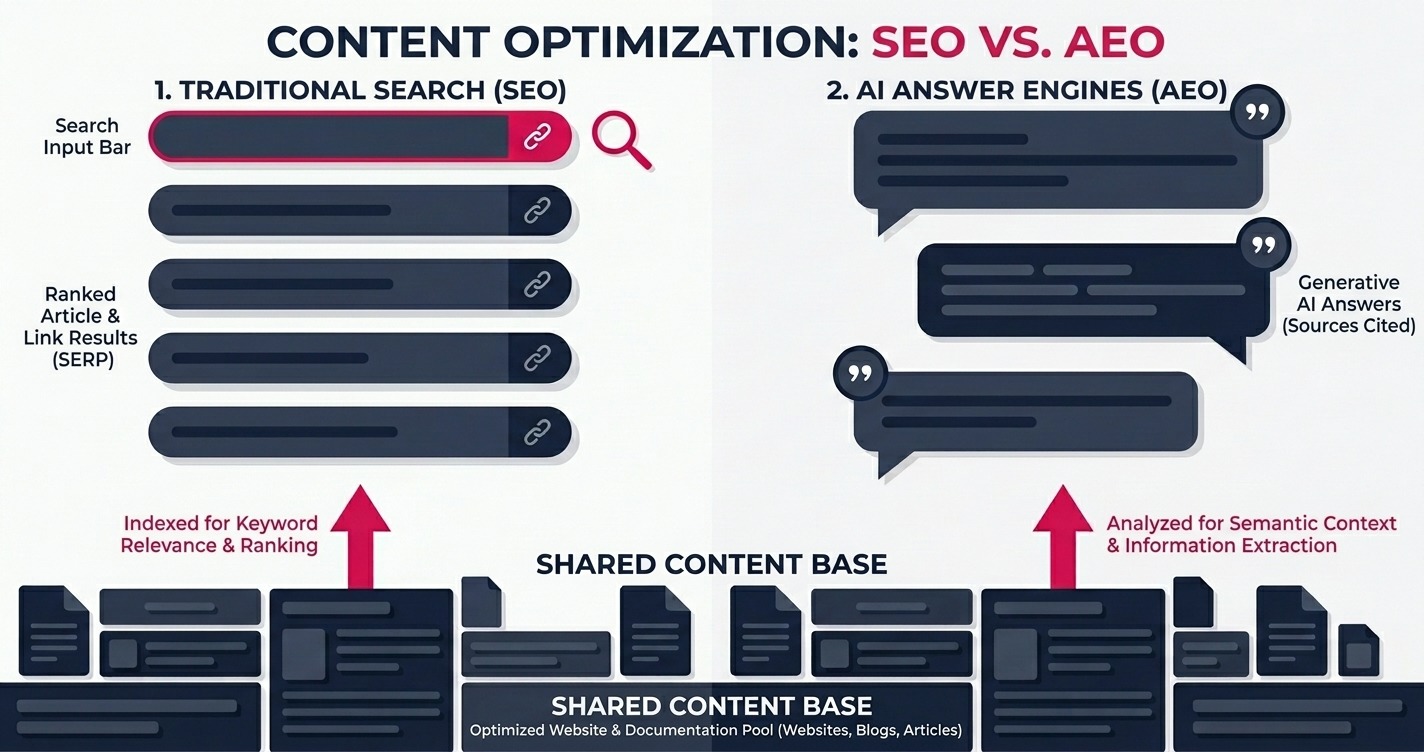
AEO stands for answer engine optimisation. HubSpot's version gives you a visibility score, prompt tracking, citation analysis and prioritised content recommendations, and it's also sold as a standalone product.
The practical link between the two is simple. When the AEO tool shows a competitor being cited for a question you answer better, that page becomes your next job in the SEO tool. Question-led headings, short direct answers and FAQ sections help a page in both Google and AI answers.
How IBF sets up HubSpot SEO tools for Australian businesses
IBF uses this approach on its own blog. Posts are grouped into HubSpot, Shopify, web design and digital marketing clusters. Each page is mapped to one target keyword, and every rewrite adds question-led headings and an FAQ for AI search.
For clients, IBF's HubSpot implementation services cover the setup that most teams skip. That includes connecting Search Console correctly and configuring the SEO tool around the services you sell. It also includes training your team to treat the Optimise panel as part of publishing.
The goal is a routine your team can keep running without an agency in the room. Once the setup is right, the SEO dashboard becomes a weekly to-do list rather than a report nobody opens.
Frequently asked questions about HubSpot SEO tools
Q: Are HubSpot SEO tools available on the free or Starter plan?
A: Partly. Every HubSpot account, including free and Starter, gets SEO recommendations inside the page and blog editor. The full SEO tool, which covers site-wide scans, topic clusters and SEO analytics, requires Marketing Hub or Content Hub at the Professional or Enterprise level - factor that tier difference into any upgrade decision if SEO reporting matters to your business.
Q: Can HubSpot's SEO tool check a website that isn't hosted on HubSpot?
A: Yes. HubSpot's SEO recommendations tool can scan live pages hosted outside HubSpot, so you can audit a WordPress or Shopify site without leaving your account. Results are sorted by SEO impact and technical difficulty. The in-editor Optimise panel only works on content built in HubSpot, so fixes on an external site still happen in that site's own CMS.
Q: Does HubSpot have a keyword research tool?
A: HubSpot's Topics feature lets you enter a topic and review SEO metrics before you create a cluster, so it supports basic keyword planning. It isn't a full research platform, though. For competitor keyword gaps and backlink analysis, most teams combine HubSpot with Google Search Console data and a dedicated tool such as Semrush or Ahrefs.
Q: Do HubSpot topic clusters improve Google rankings?
A: Not on their own. HubSpot states that creating a topic cluster in its SEO tool doesn't directly affect your website's SEO. The value comes from what the tool helps you build - a pillar page, related supporting posts and internal links - which helps Google understand what your site covers and which page carries the most authority.
Q: What is the difference between HubSpot's SEO tool and its AEO tool?
A: HubSpot's SEO tool helps your pages rank in Google by auditing on-page issues, organising topic clusters and reporting Search Console data. The AEO tool, launched in April 2026, tracks how often AI engines such as ChatGPT, Perplexity and Gemini mention or cite your brand. Most businesses need both, because AEO builds on the same content foundations as SEO.
Turn HubSpot SEO tools into a results routine
Getting results from HubSpot SEO tools comes down to the setup and routine behind them, not the subscription tier alone.
IBF is a HubSpot Platinum Partner helping Australian businesses configure HubSpot and turn its search data into clear content priorities. Book a business growth audit to find out where your site is losing search visibility.